Your whole property, one screen
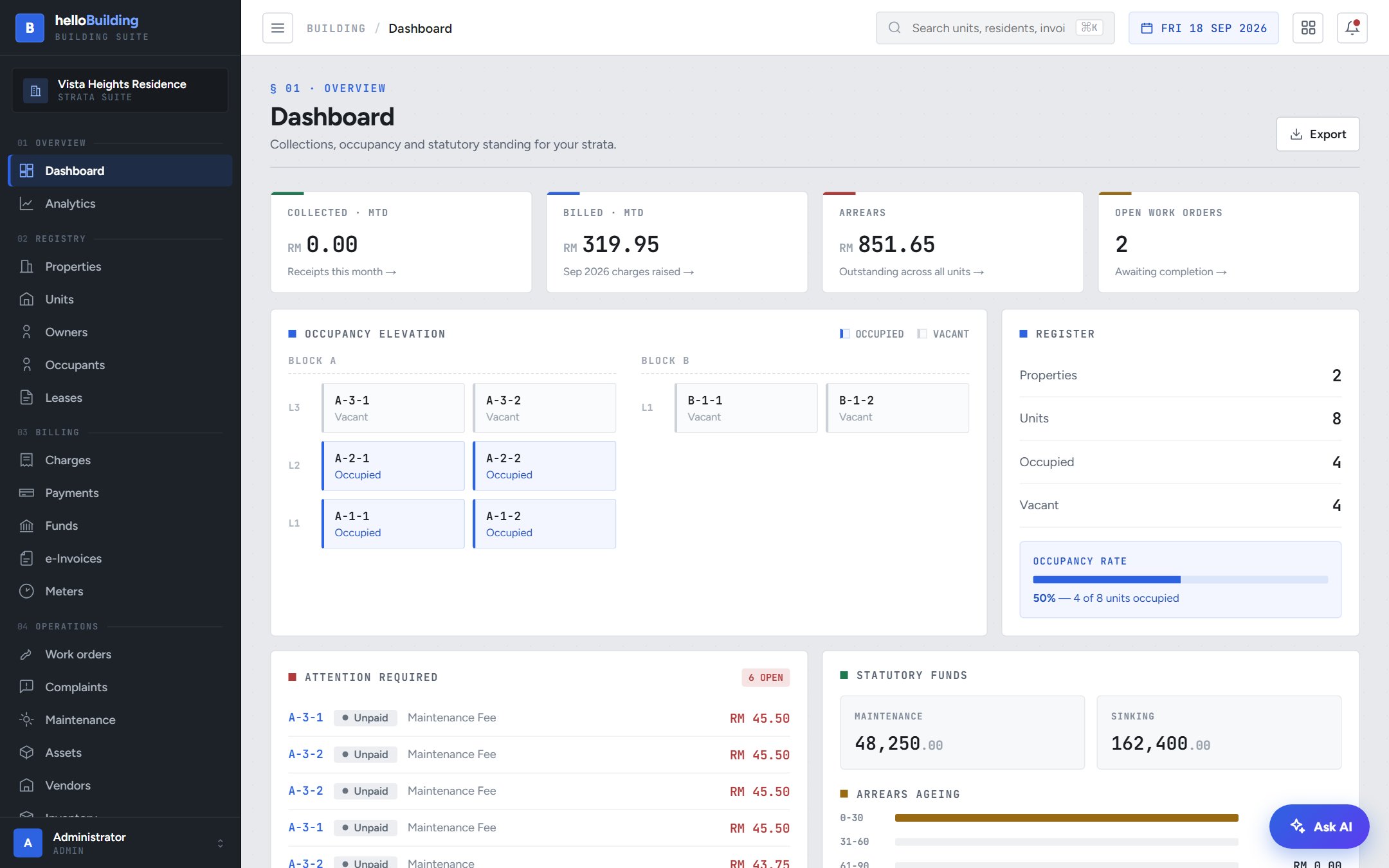
The dashboard shows exactly where your strata stands today: what's been collected, what's still owed, occupancy across every block, and anything that needs attention.
- Collections and billed amounts for the month, plus total arrears across all units
- A live occupancy map by block and level — occupied vs vacant at a glance
- An "Attention required" list of unpaid charges, sorted so nothing slips through
- Maintenance and sinking fund balances, always visible
Your strata roll — properties, units and owners
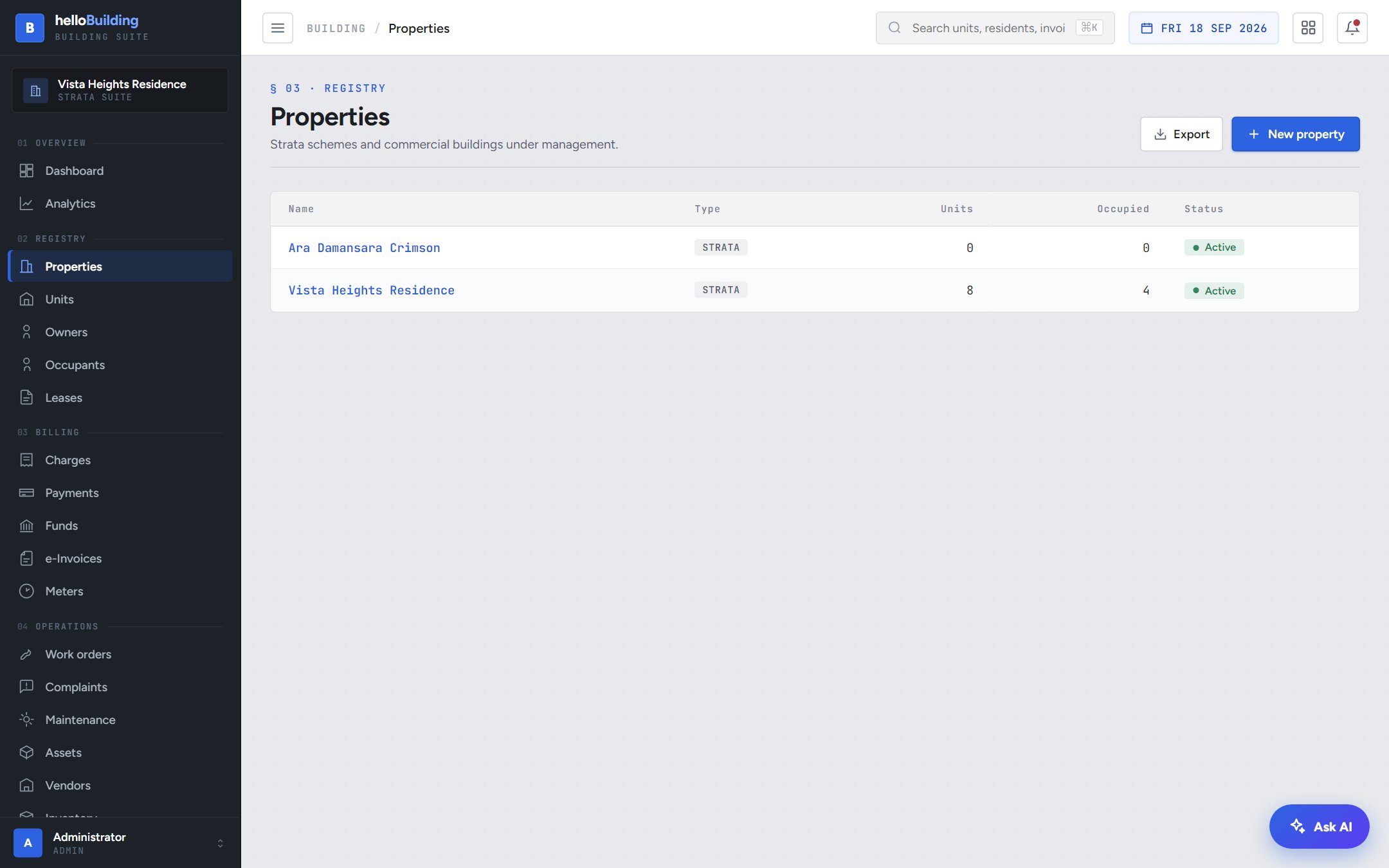
Every property, unit and owner lives in one registry. Set it up once and it drives your billing, complaints, visitors and portal access from day one.
- Register each property (strata scheme or commercial building)
- List every unit, occupied or vacant, tagged to its property and owner
- Owners get their own record — contact details and every unit they hold
Complaints, tracked from filed to fixed
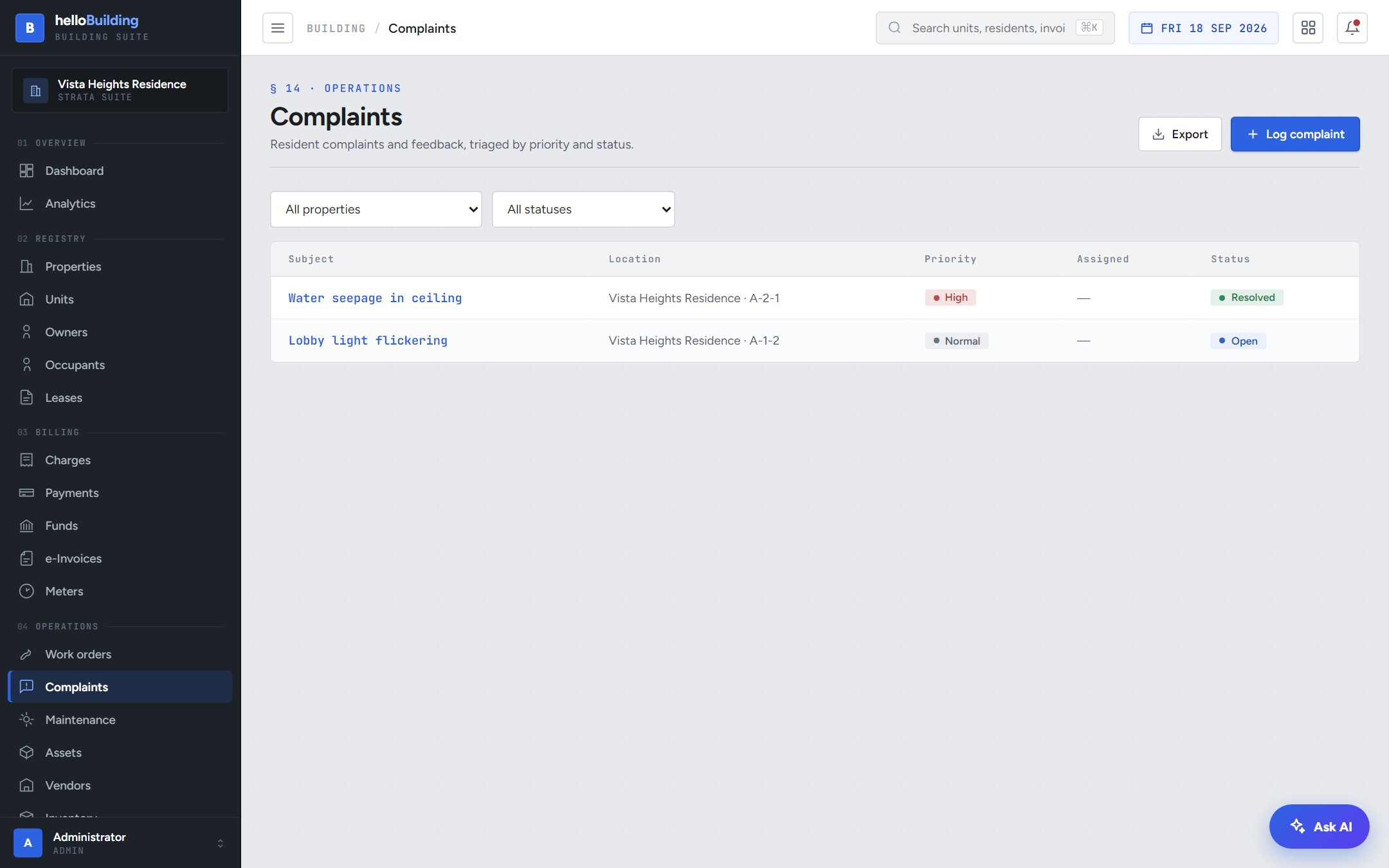
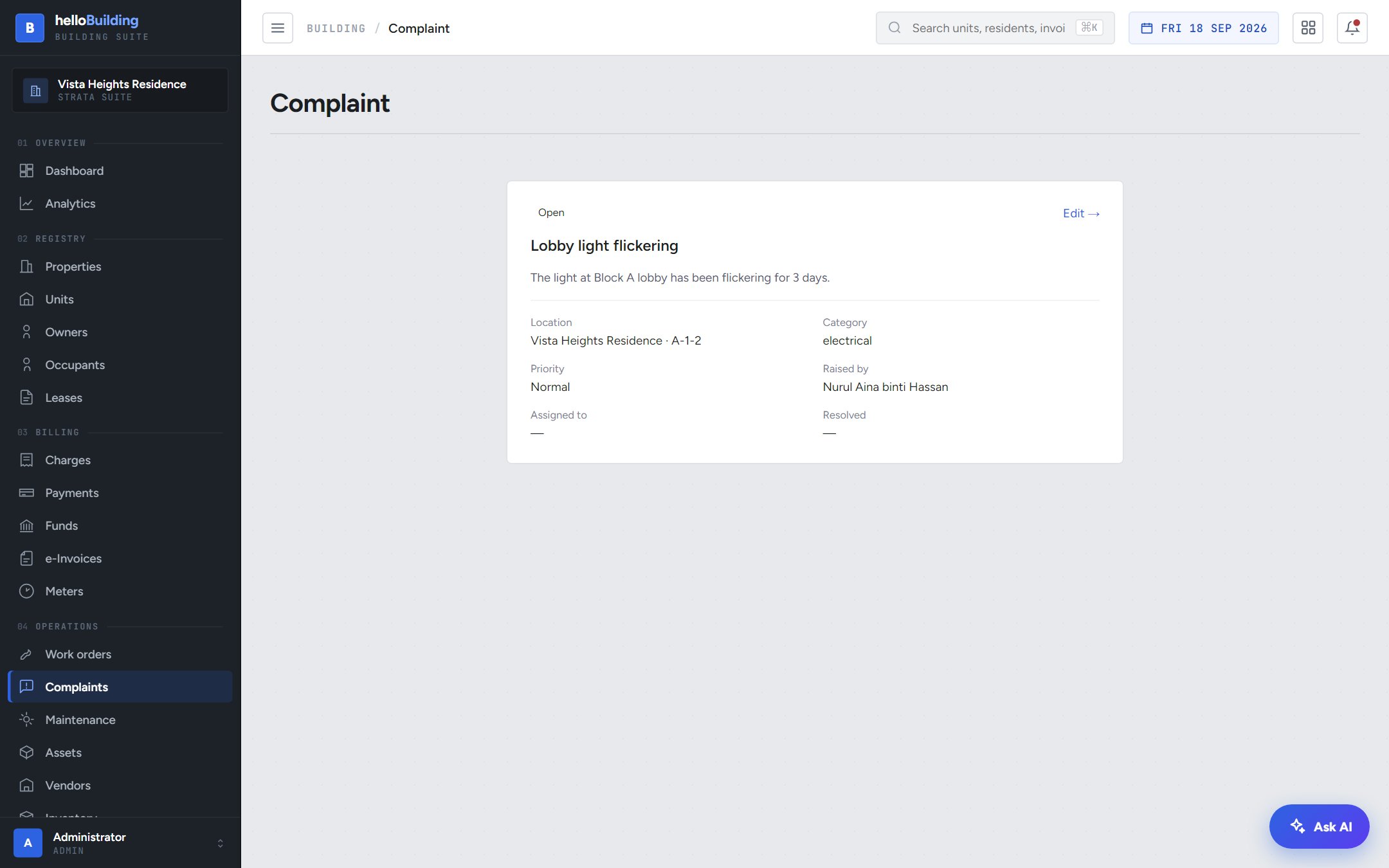
A resident reports a problem — a flickering light, a leaking pipe — and it's logged against their exact unit, with a priority and a category, so nothing gets lost in a WhatsApp group.
- Every complaint shows the unit, category, priority and who raised it
- Assign it, work it, and mark it resolved when it's done
- The resident is notified automatically the moment it's resolved
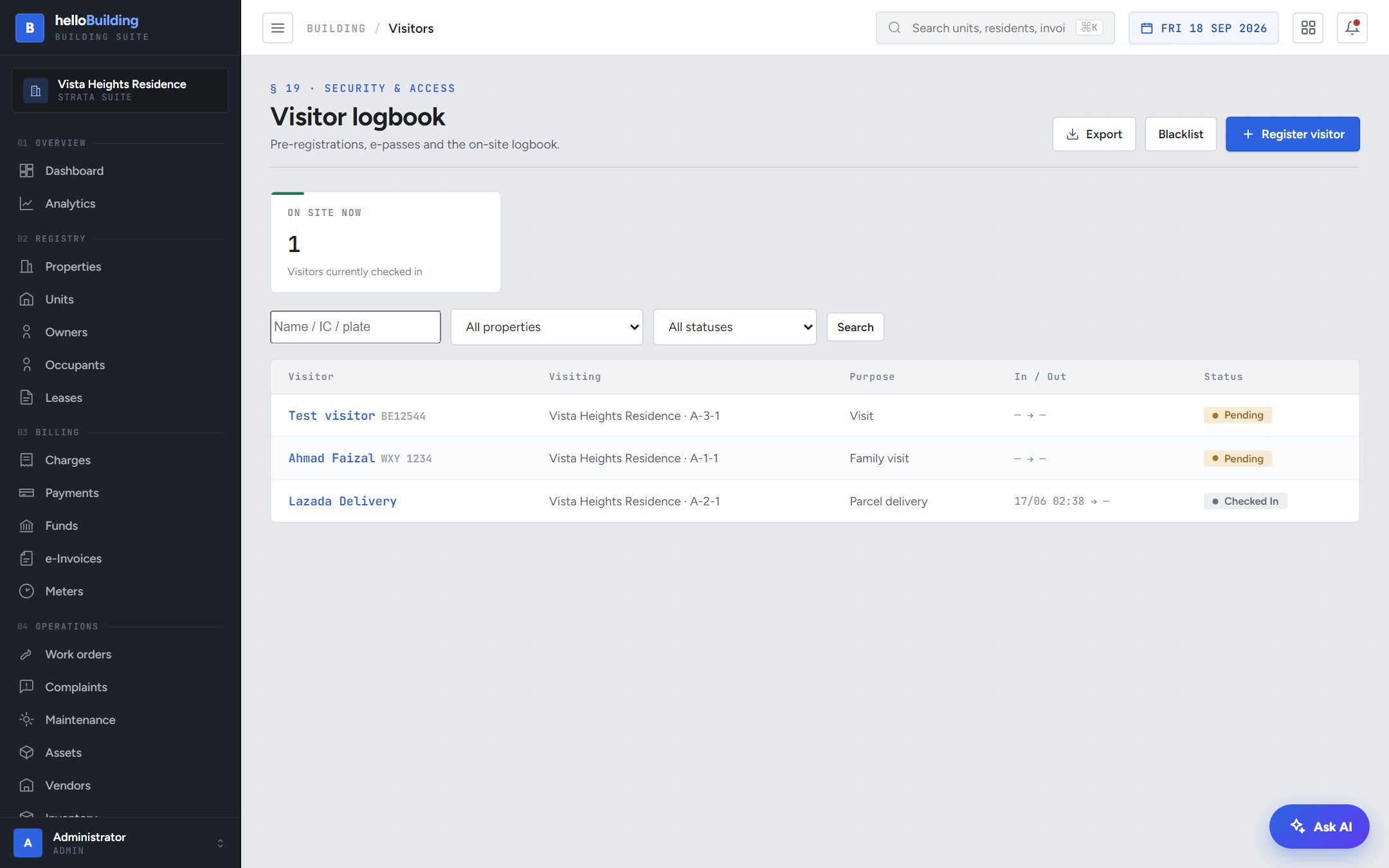
Approve a visitor from anywhere
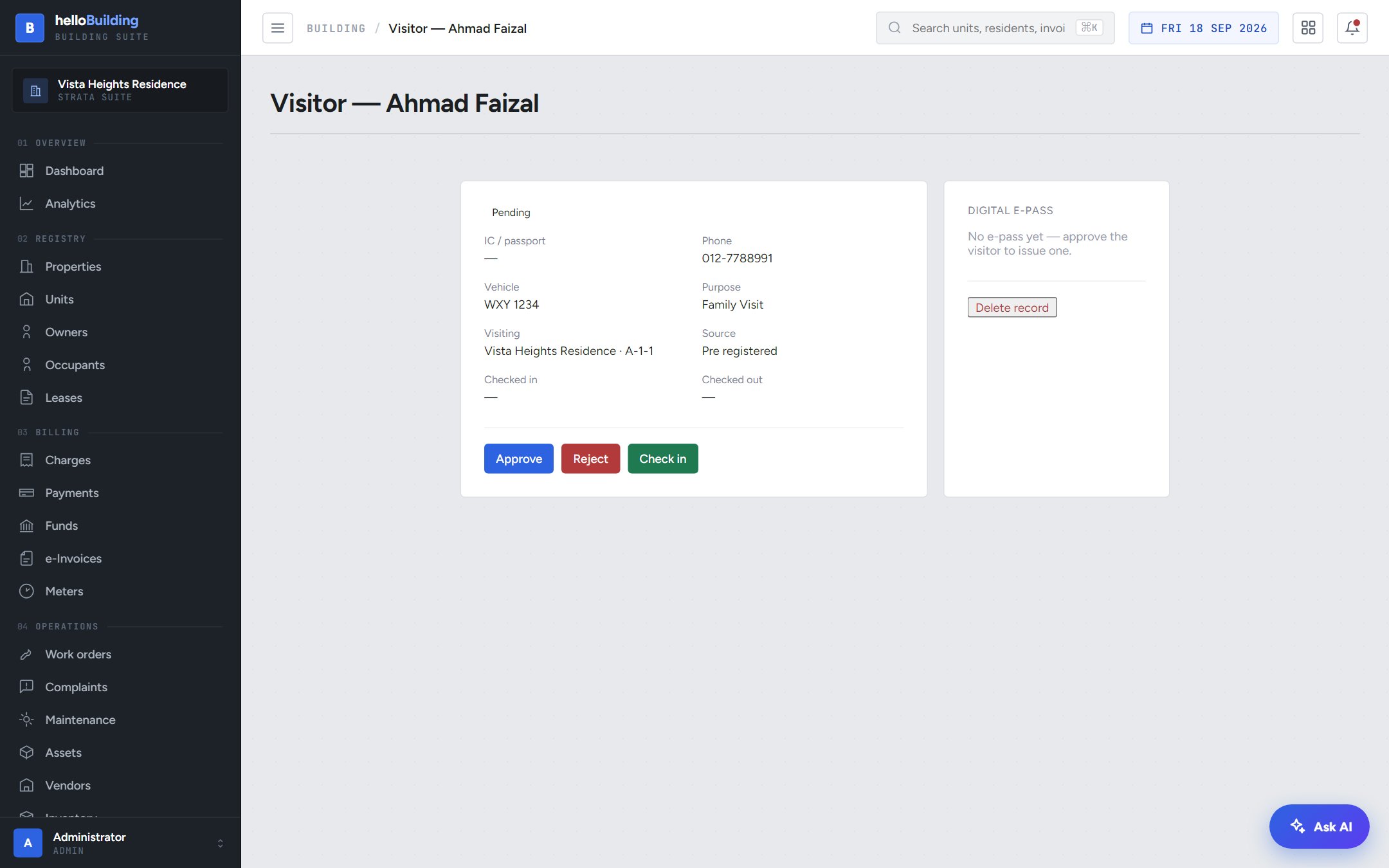
A walk-in visitor arrives at your guardhouse — the host gets an alert instantly and can approve, reject, or check them in without leaving their unit.
- Guards register walk-ins; residents pre-register expected guests themselves
- The host is alerted the moment a visitor is waiting for approval
- Approved visitors get a digital e-pass, checked in and out at the gate
Every parcel logged, every owner alerted
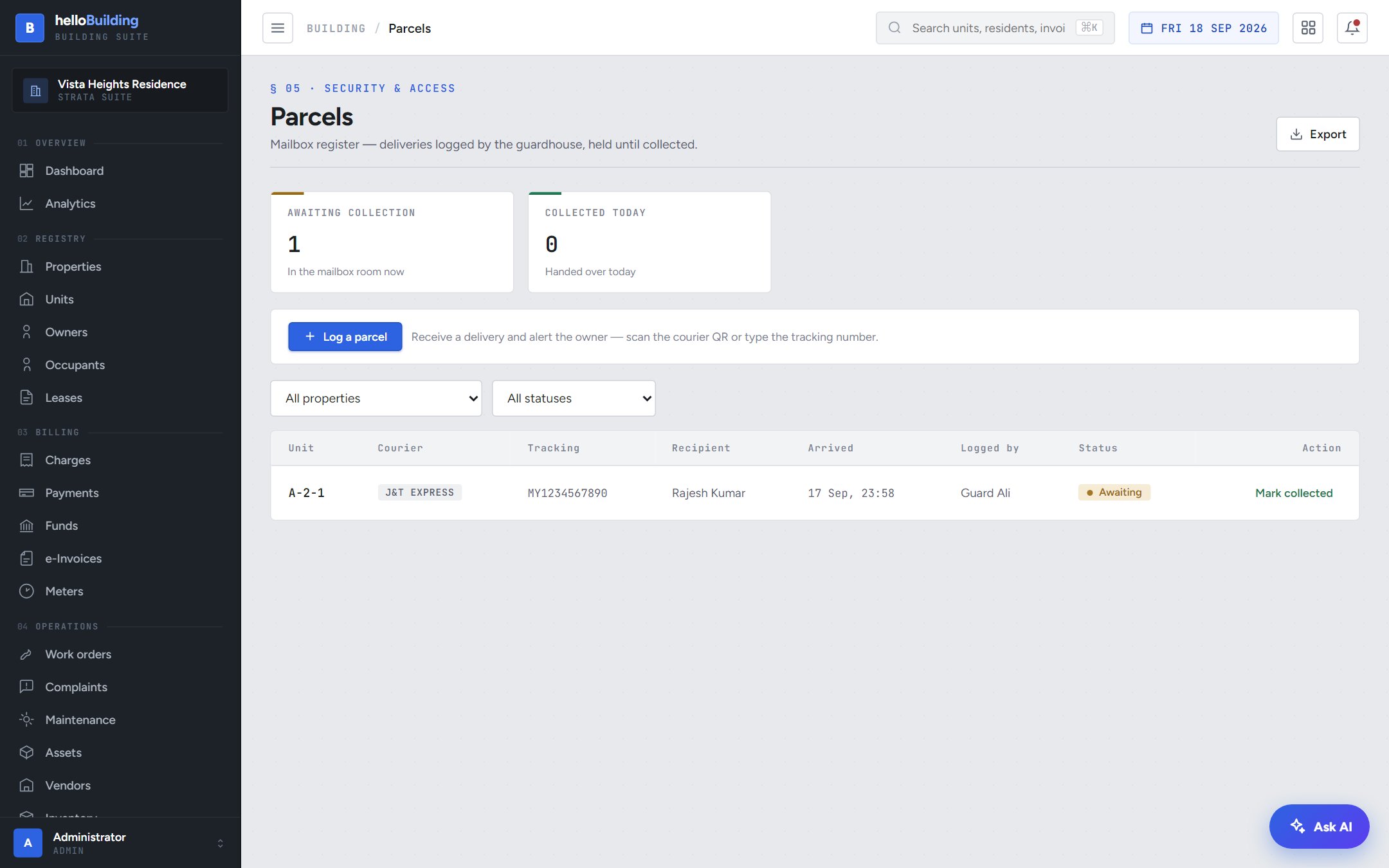
The guardhouse logs a delivery in seconds — courier, tracking number, which unit — and the owner is notified the same moment their parcel is waiting.
- Scan the courier's slip or type the tracking number to log a parcel
- The owner gets an email and push alert automatically
- Mark it collected when they pick it up — the register keeps a full history
Announcements that actually reach residents
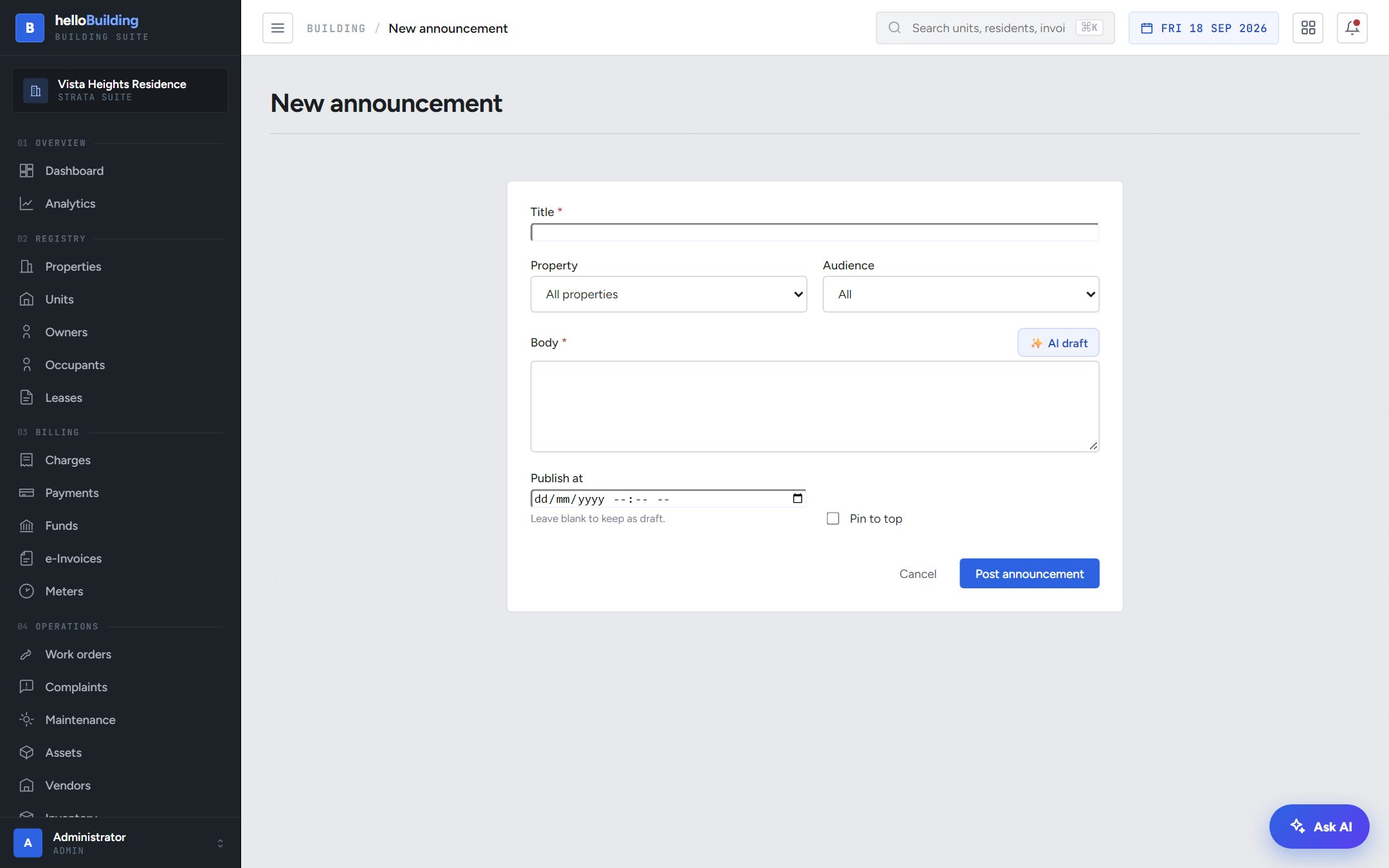
Water disruption tomorrow? AGM next month? Post it once, target it to the right audience, and pin the important ones to the top.
- Target a single property, or every property you manage
- Choose the audience — all residents, owners only, or occupants only
- Pin urgent notices so they never get buried
Alerts that fire themselves — in your own words
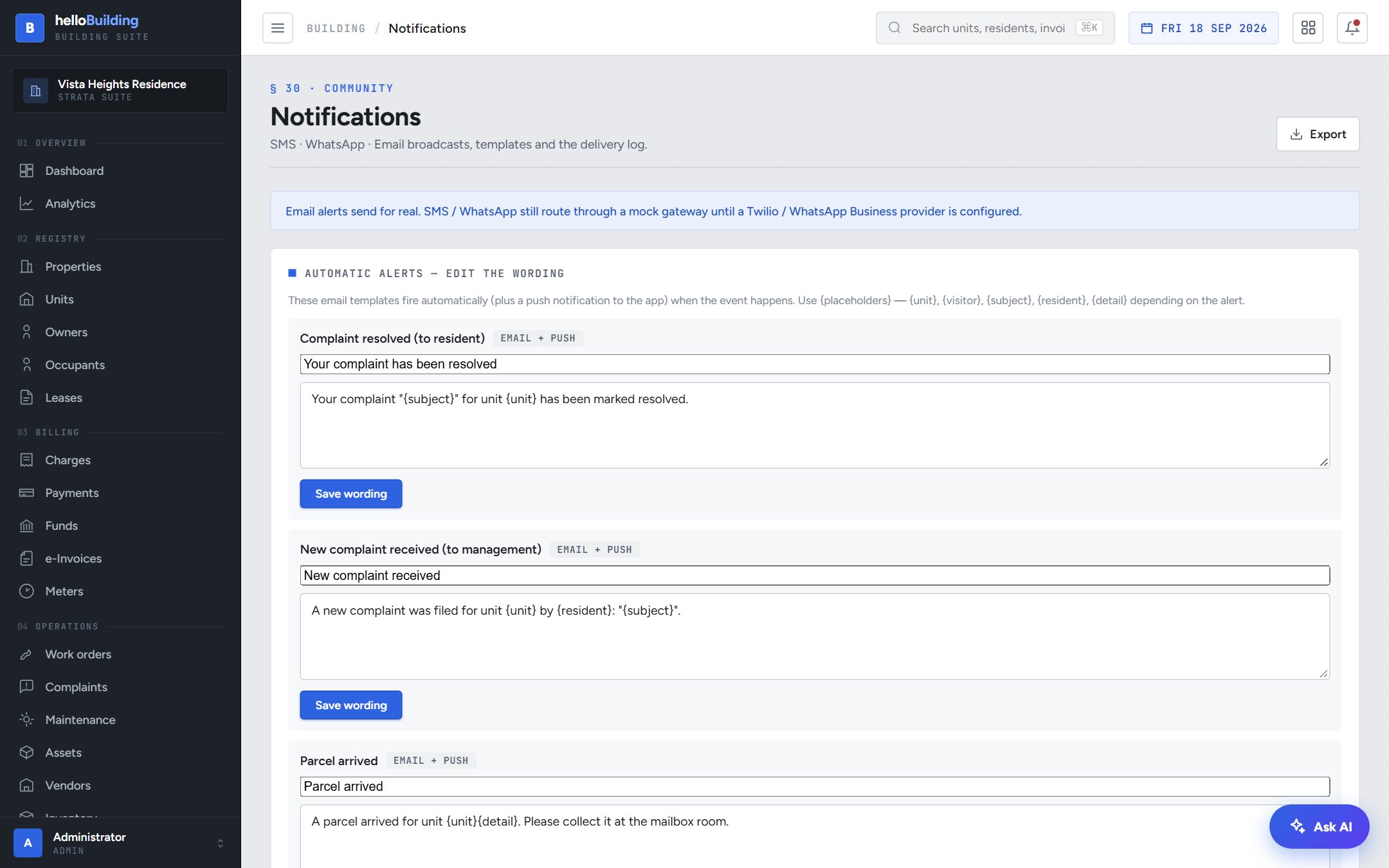
Every automatic alert helloBuilding sends is editable. Change the wording once, and every future notification uses it — no developer needed.
Email + push, on autopilot
A visitor waiting, a parcel arrived, a new complaint, a complaint resolved — each one triggers a real email and a push notification to the app, the instant it happens. You control exactly what it says.
- Four automatic alerts, each with its own editable subject and body
- Use {placeholders} — unit, visitor name, complaint subject — filled in automatically
- A configurable inbox for new-complaint alerts, so the right person always knows first
Set it up once, the way your building runs
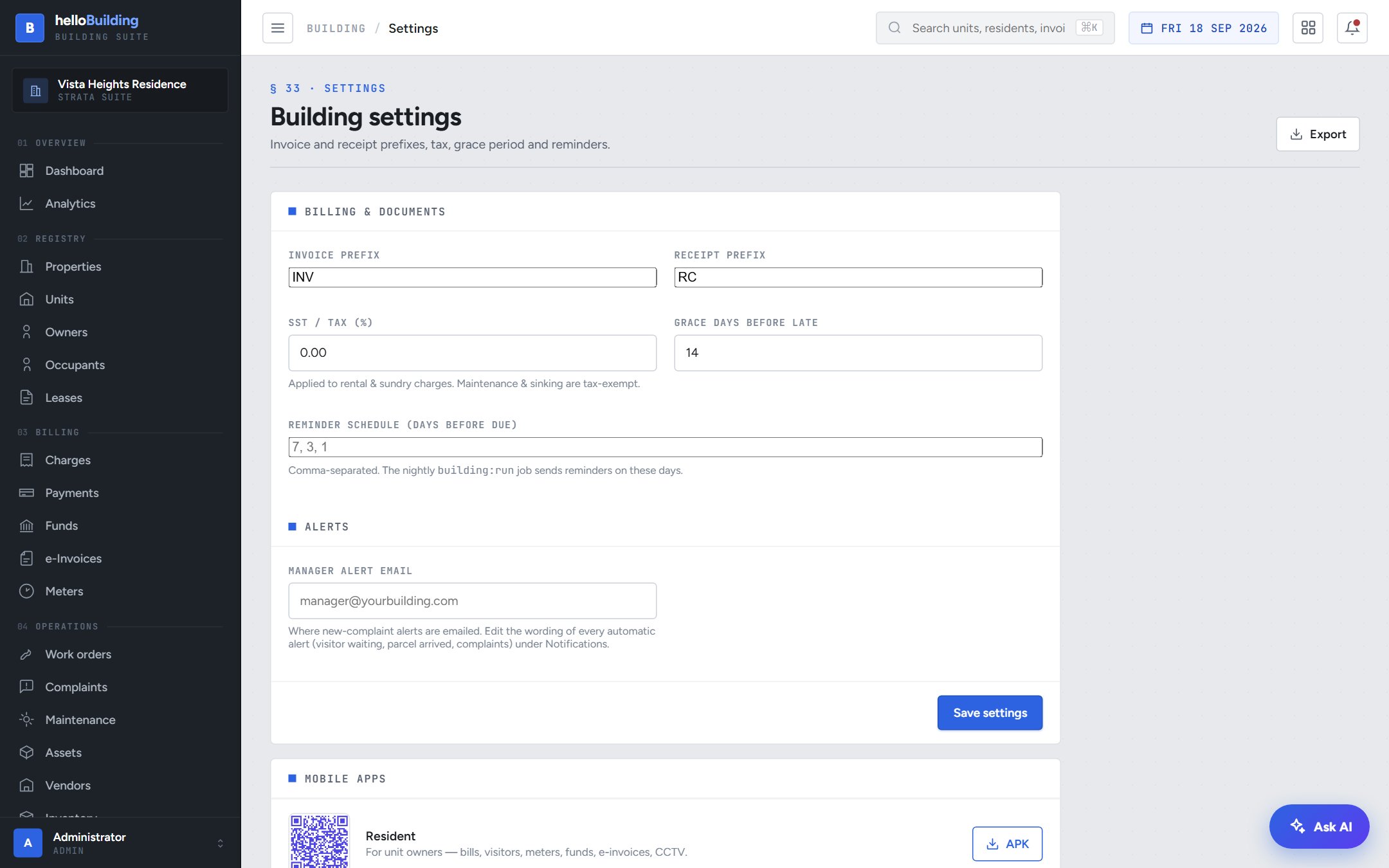
Invoice prefixes, SST, grace periods, reminder schedules and where alerts get sent — one settings screen, filled in on day one.
- Your own invoice and receipt number prefixes
- SST rate and grace days before a charge is considered late
- A reminder schedule so residents are nudged before charges are overdue
A self-service portal, no app install required
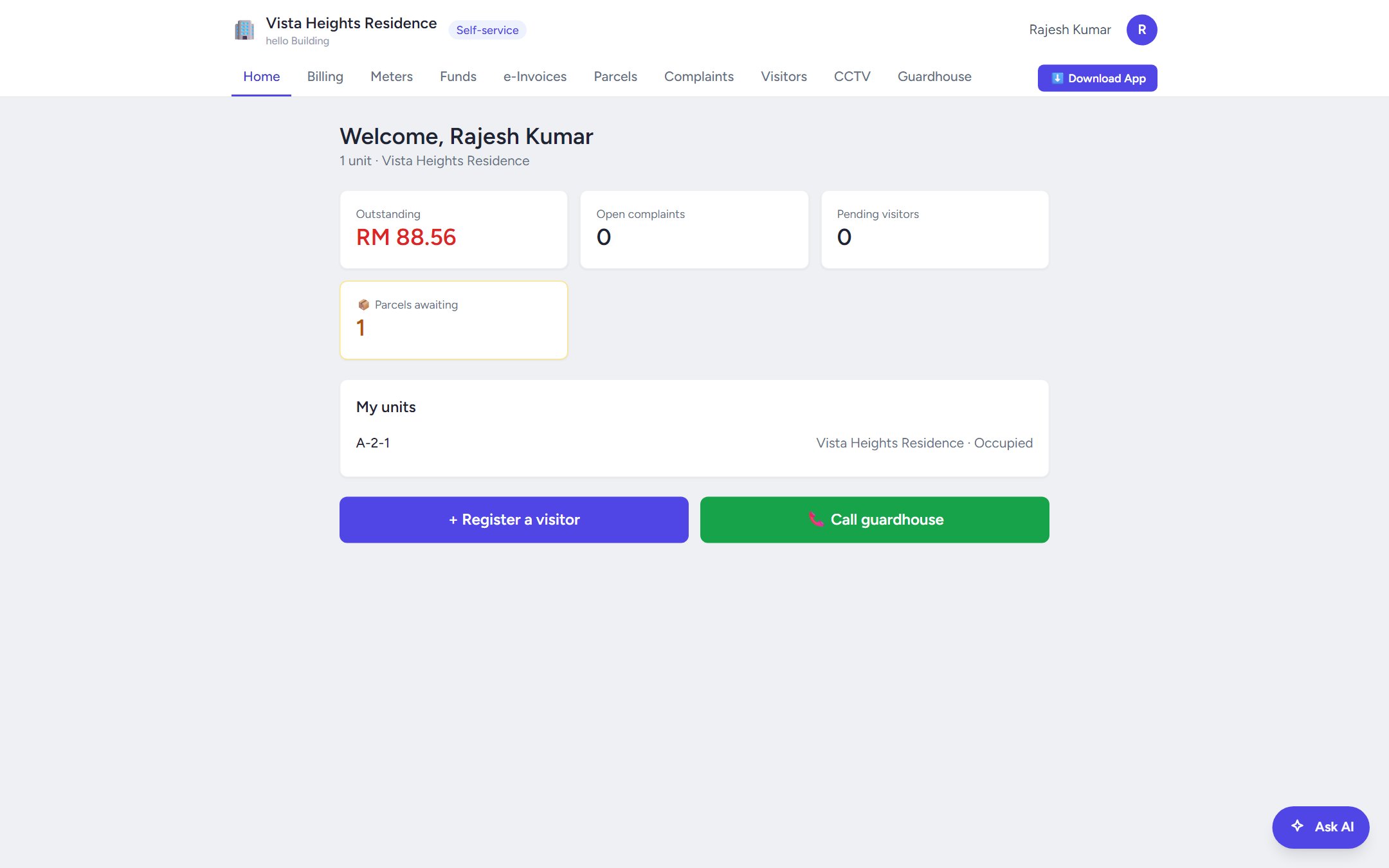
Every owner gets their own login — bills, complaints, visitors and parcels, without ever calling the office.
Everything a resident needs, on one page
The moment a resident signs in, they see exactly what matters: what they owe, open complaints, pending visitors and parcels waiting — plus one-tap actions for the two things they do most.
- Outstanding balance, open complaints and pending visitors at a glance
- Register a visitor or call the guardhouse in one tap
- Every unit they own, listed with its occupancy status
Residents pay online, you get paid faster
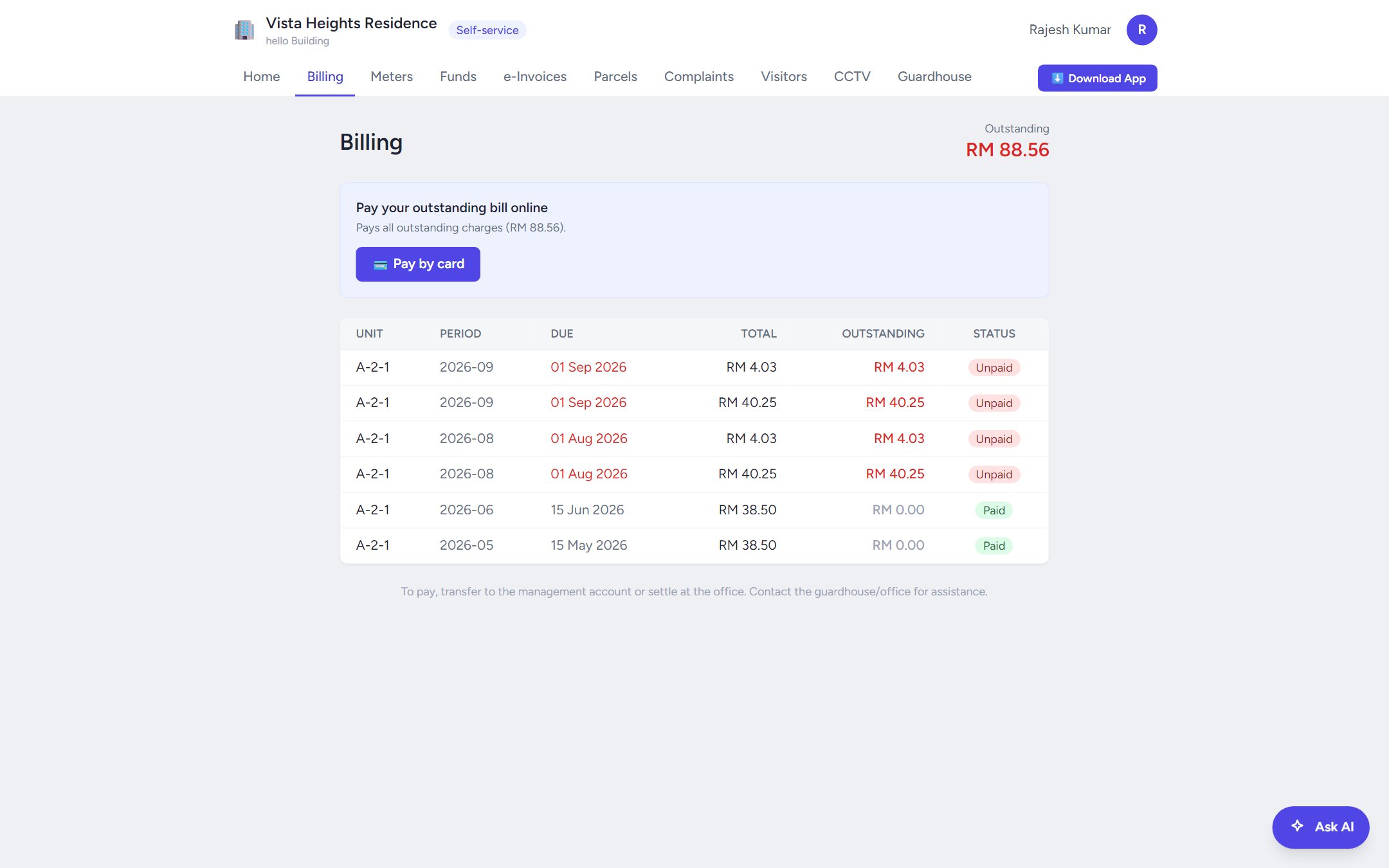
No more chasing cheques or bank-in slips — residents see their maintenance and sinking fund charges and pay directly from the portal.
- Every charge listed, with what's outstanding shown clearly
- Pay online through your own configured gateway
- Payments reflect against the unit instantly — no manual reconciliation
Parcels and visitors, self-service
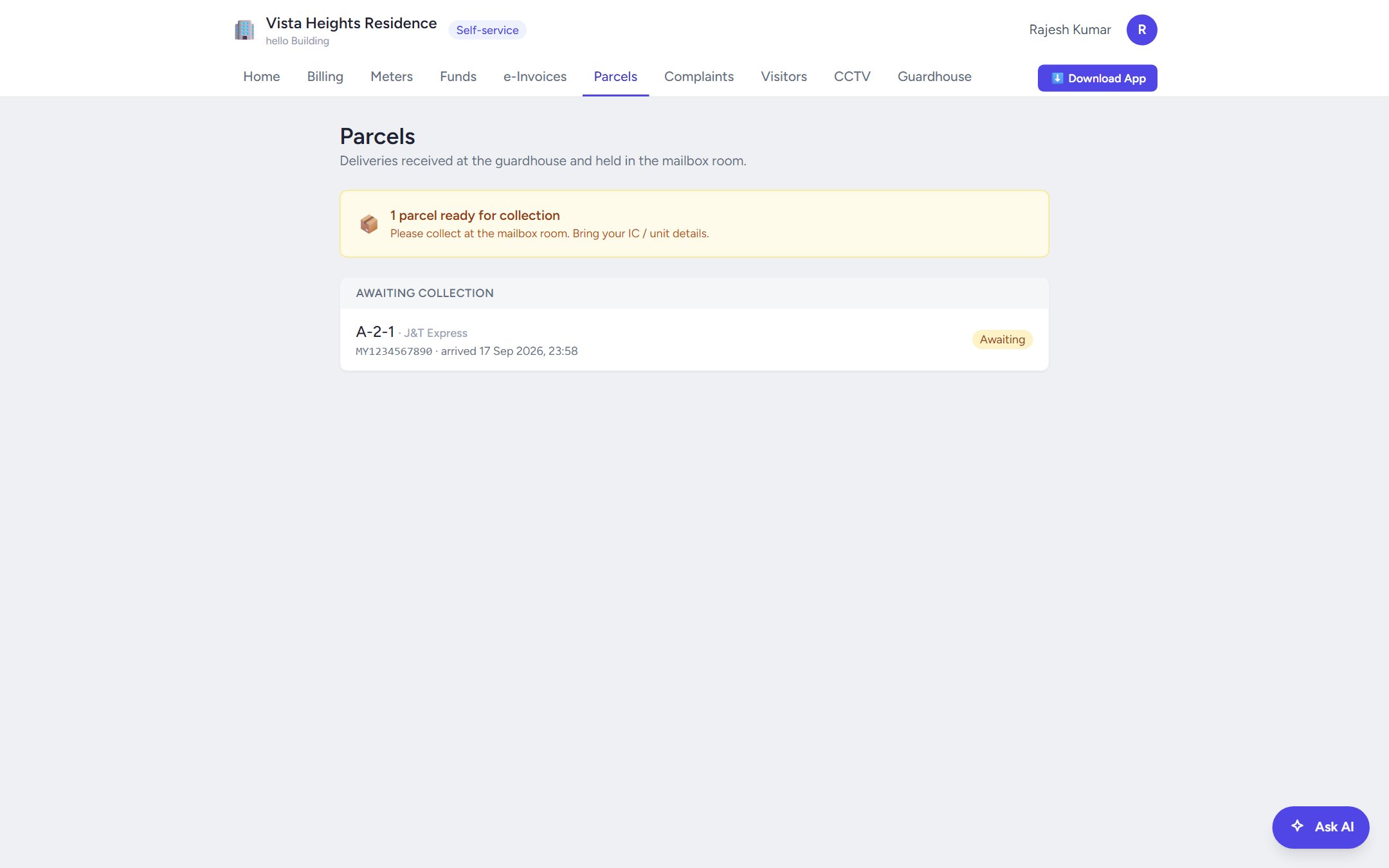
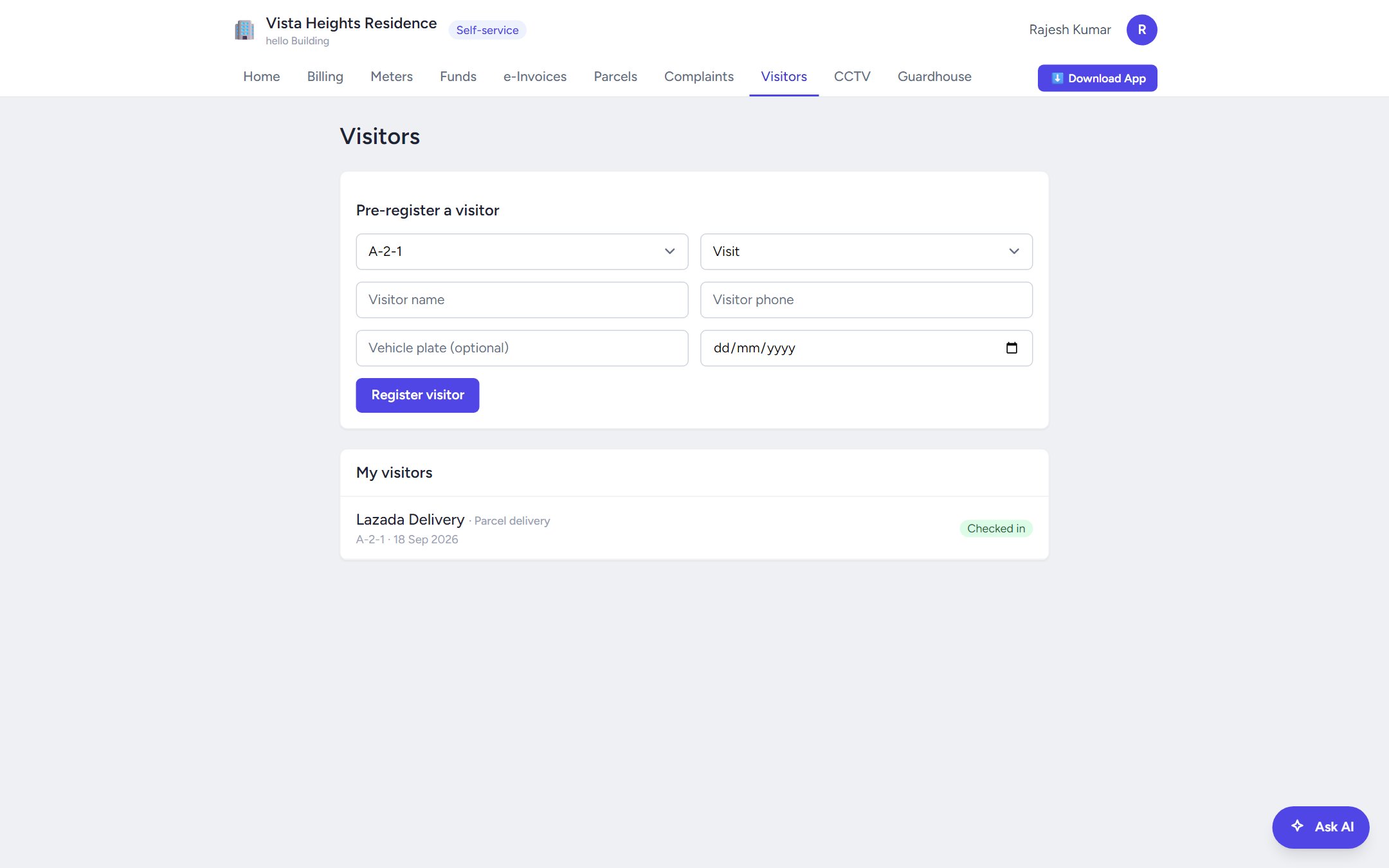
Residents don't need to call the guardhouse to check if a parcel arrived, or to let a friend in — they can see it and act on it themselves.
- See every parcel awaiting collection, and their full collection history
- Pre-register an expected visitor with a few taps — no phone call needed
Ready to run your building this way?
Start a free trial today, or message us on WhatsApp and we'll set your property up for you.